Ghost Company

Live-Übersetzung, ohne den Aufwand.

Live translation, without the setup.

Translating your event has never been this easy. Two choices — one for small events, one for demanding productions.

12
Languages
<800ms
Latency
0
Install required
Ghost Flash

Open a link. Talk. Everyone reads it in their language.

No install, no app, no hardware. Just a browser tab and a microphone.
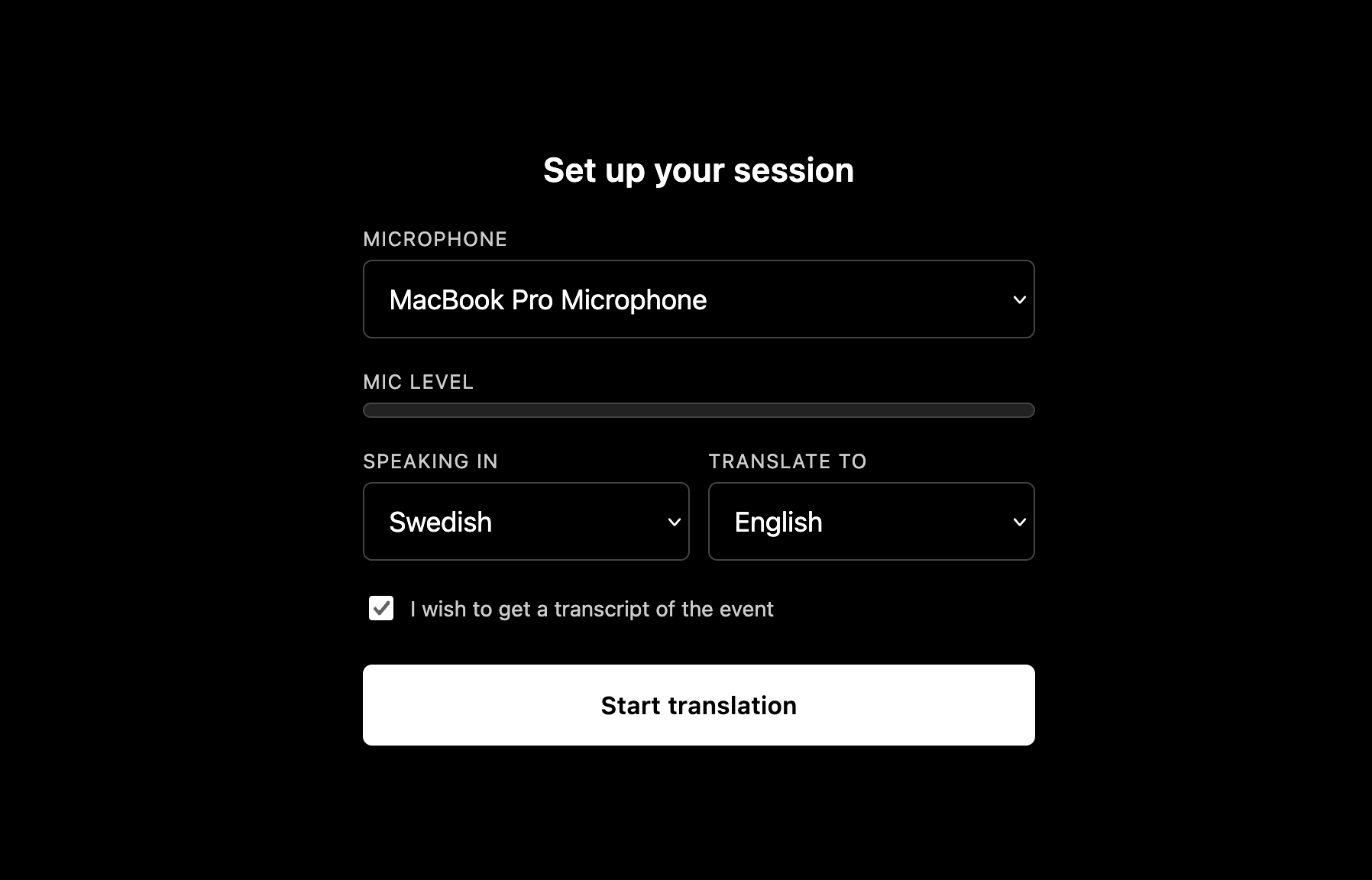
ghost-flash.com
Ghost Flash session setup: microphone picker, mic level, speaking-in and translate-to language dropdowns, transcript checkbox, and a Start translation button
  • No install. Runs entirely in the browser
  • Pick your microphone, source language, and target language, then start
  • Share a single link or QR code. Your audience just opens it, no login
  • Live translated captions appear on their own screens in real time
  • Nothing is recorded or stored. Captions exist only while the session is live
  • Sessions run up to 4 hours, with a 5-minute grace window if your connection blips
Log in
Ghost Event Pro

Broadcast-grade subtitles, built for the show.

Live translation overlaid on your camera feed, with the controls a production actually needs.

ghost-flash.com
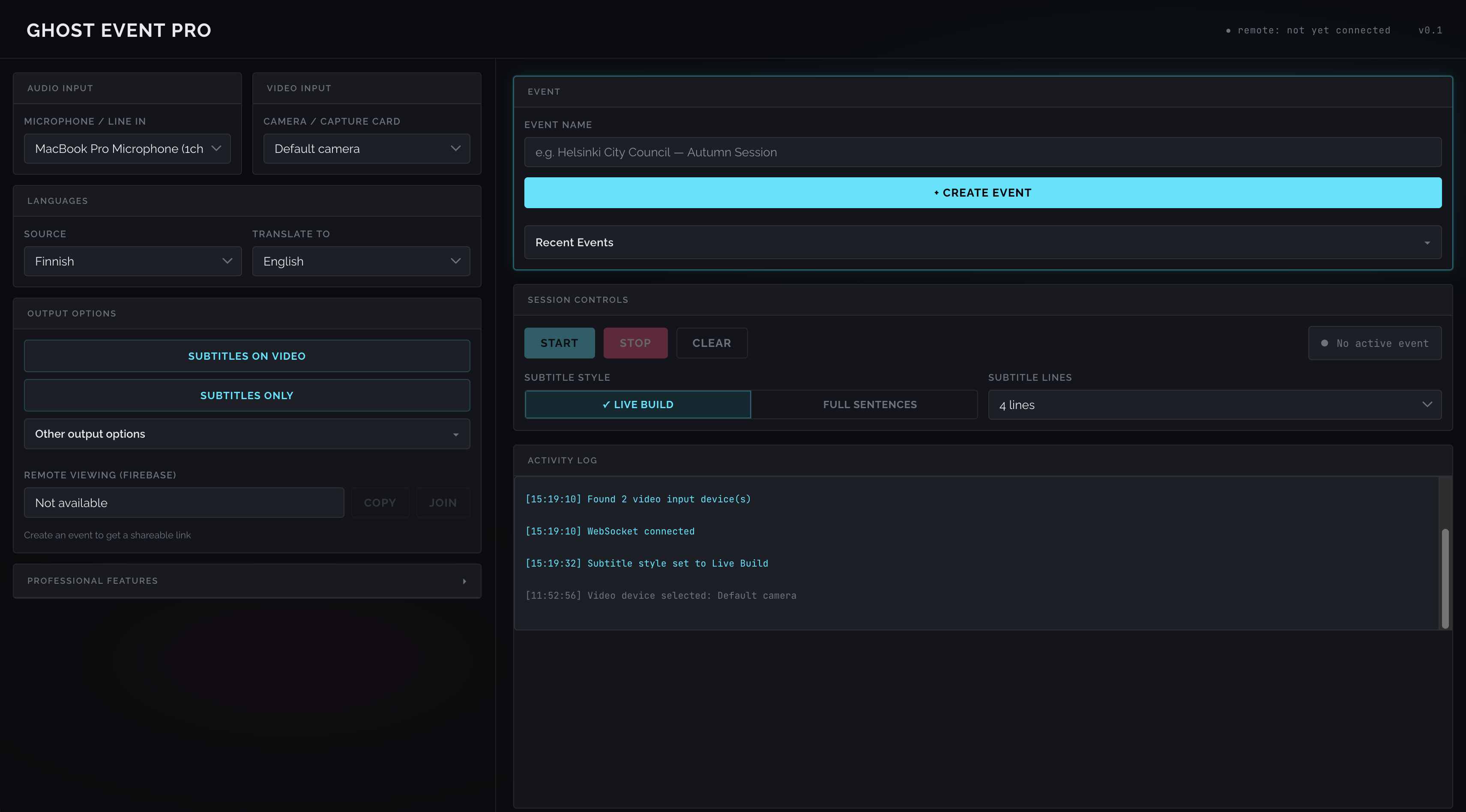
Ghost Event Pro control panel: audio and video input selectors, source and target languages, output options, event creation, session controls and an activity log
  • Overlays live translated subtitles directly on a webcam or capture-card feed
  • Dedicated output modes: full camera + subtitles, subtitle-only for chroma keying, and a clean control panel with a one-touch clear
  • Built-in chroma-key backgrounds (green, magenta, blue, transparent) for drop-in OBS integration
  • Safe-area guide overlays (action-safe / title-safe) for lining up subtitles before you go live
  • A dedicated production monitor page — watch connection state, live captions, and device status from a second screen or phone
  • Fully tunable output (font size, position, line count, background opacity) via simple URL parameters, no re-editing scenes
  • Multiple clients (output, subtitle-only, monitor, control) all stay in sync off the same live feed
Which one

Not sure which fits your event?

Ghost FlashGhost Event Pro
Where it runsBrowser tab, any deviceCamera / capture-card feed
What your audience seesCaptions on their own screenSubtitles burned into your broadcast
Setup timeUnder a minuteA few minutes, once per show
Best forMeetings, talks, small eventsLivestreams, broadcasts, productions